How to start staking cryptocurrency?
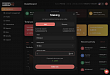
Create staking
To be able to stake cryptocurrency, you must first purchase the desired cryptocurrency in your internal wallet. You can do this by following the instructions in „How to buy“ and selecting „Internal Wallet“ from the options. Once you have purchased the desired cryptocurrency in your internal wallet, you can start staking.
1. In the Dashboard, click on the red square labeled
„Staking“ at the top
2. In the next window, select:
a) The asset you have purchased
b) The notice period
c) The amount in the selected cryptocurrency
3. At the bottom, below these fields, you will see the Expected Annual Return,
i.e., the profit the user would have today if they had invested a year ago.
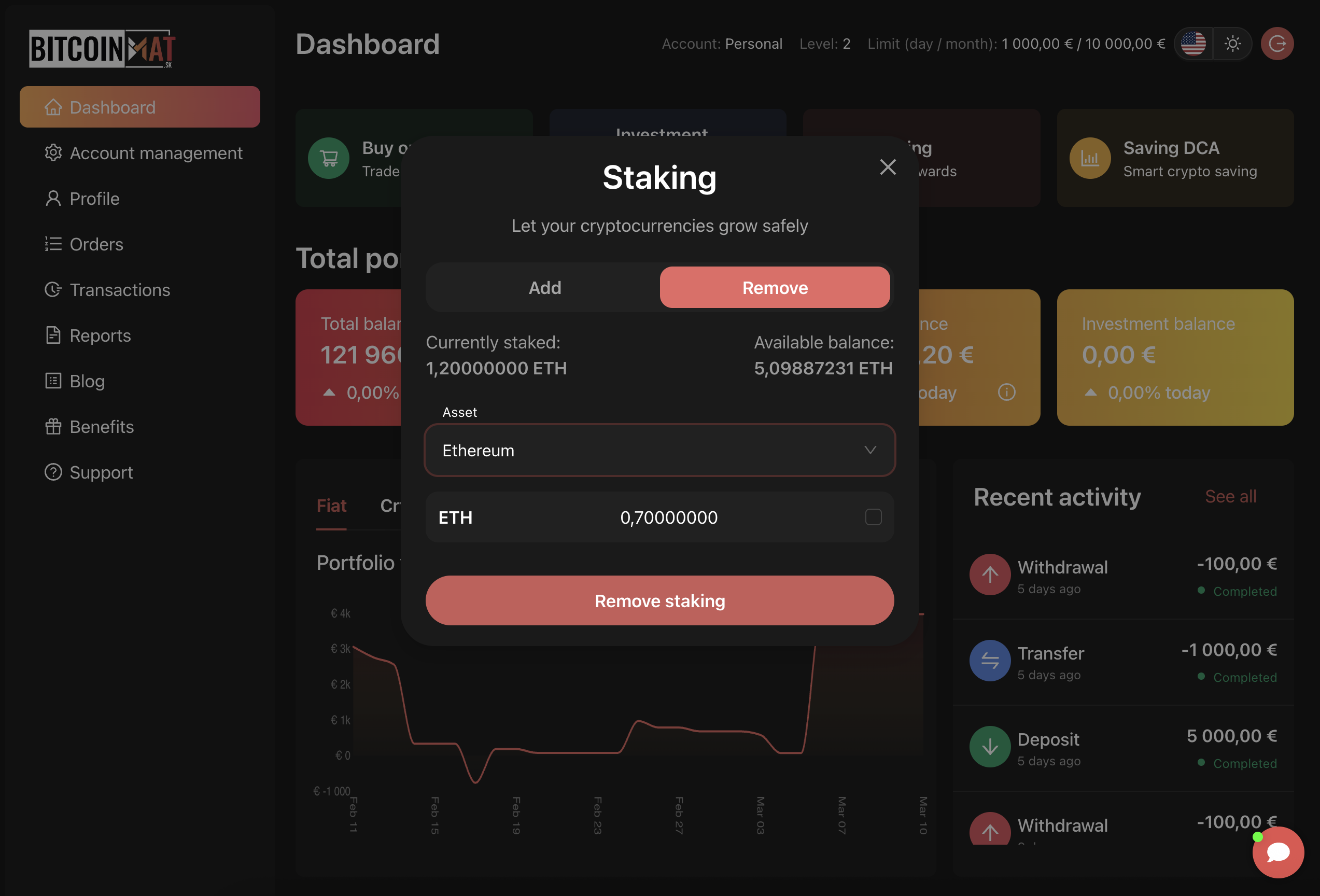
After confirming with the Stake now button, the request will be forwarded for processing, and you will be notified with an information message.
In the Dashboard, in the Orders section, under the Staking tab, we can see the currently staked cryptocurrencies in the order in which we submitted the requests.
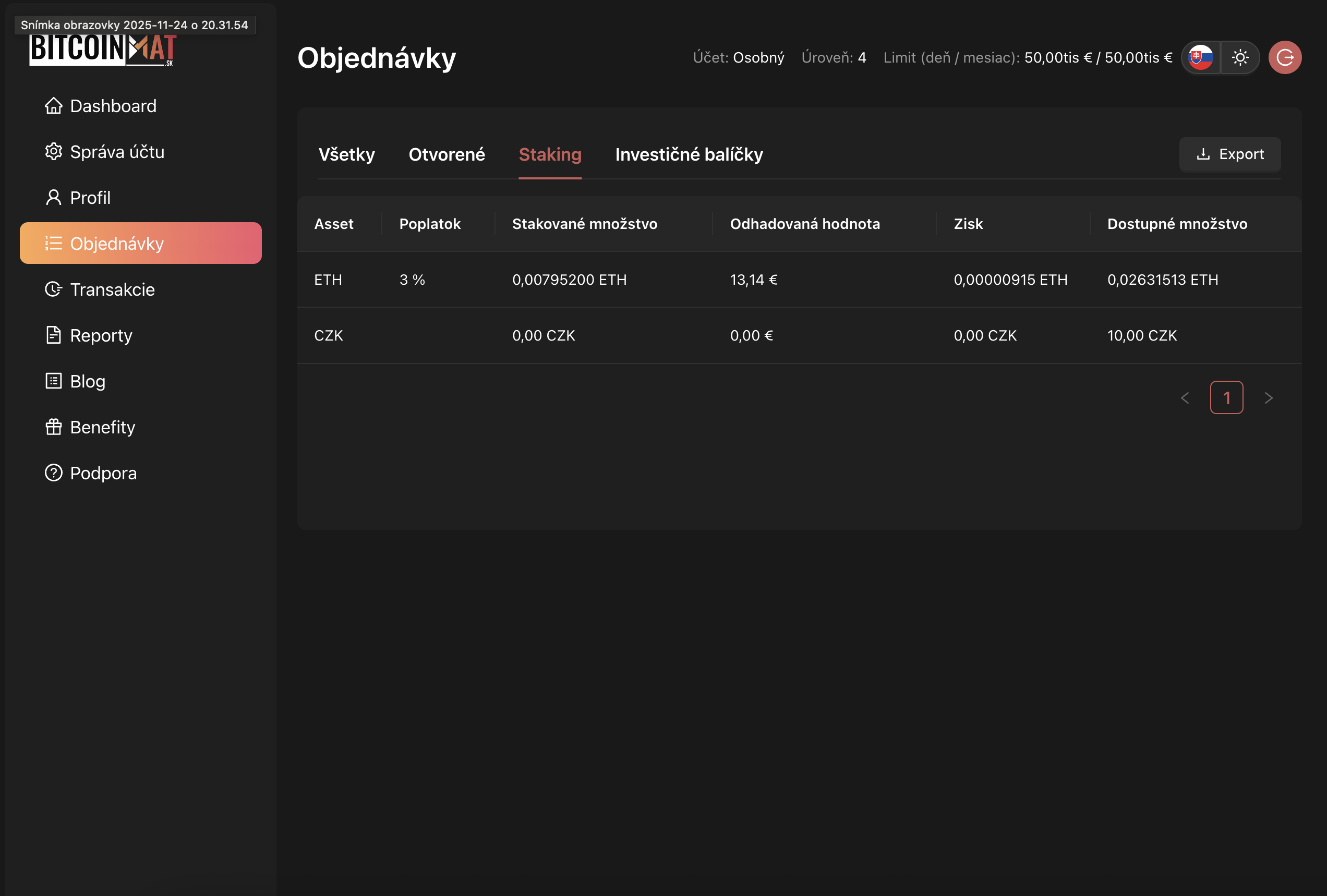
The success of the order must be approved by the administrator.
Removing a Stake
1. At the top of the Dashboard, click the red square
labeled „Staking“
2. In the window that appears, click the „Remove“
button
3. Then select:
a) The asset you want to unstake
b) From the dropdown menu, select the amount you want to unstake
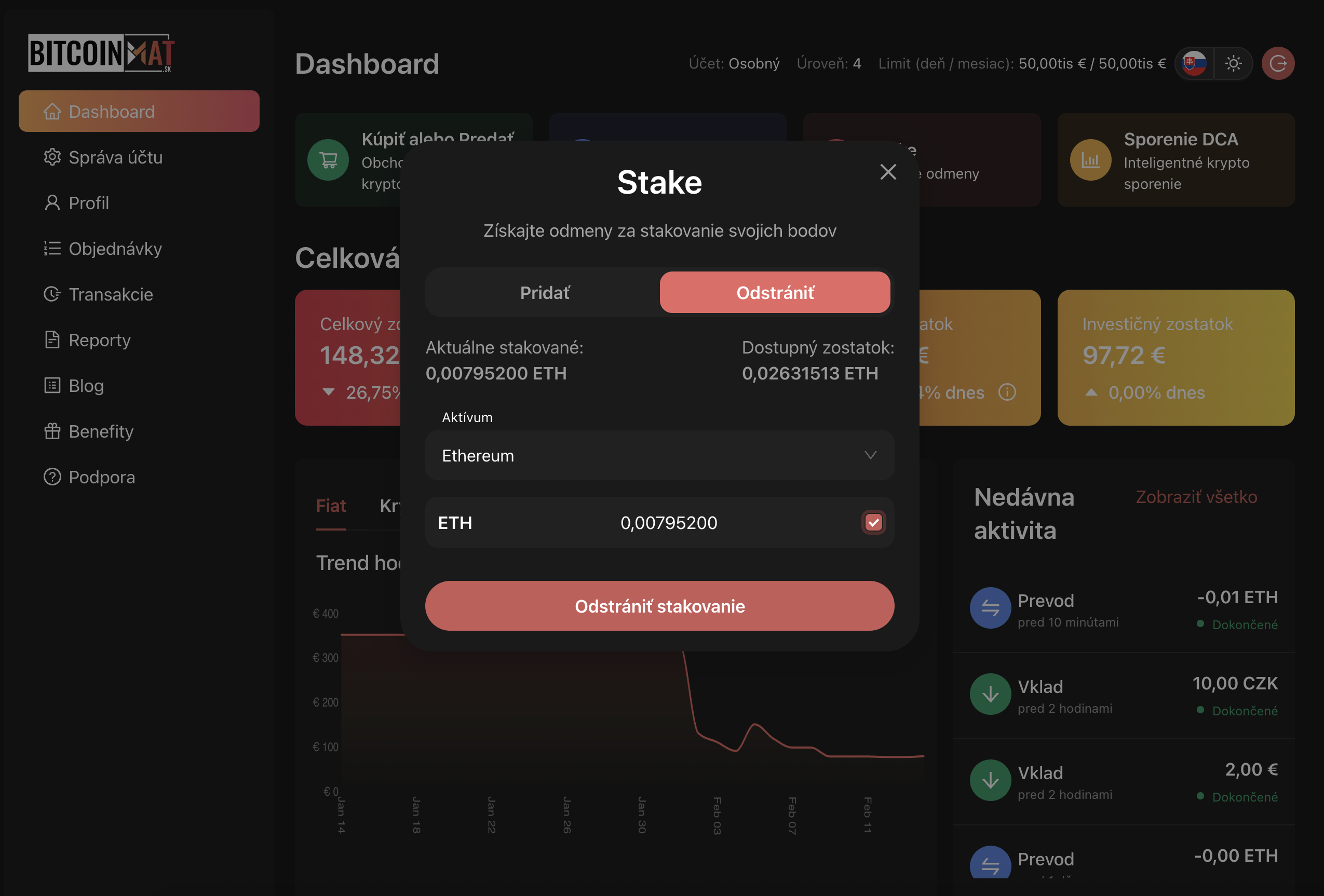
After clicking on the Remove Staking button, the request will be forwarded for processing, and you will be notified by an information message.
As with staking, requests for unstaking must be approved by the administrator.